May’s theme is updates.

May Technology Workshops
Focused on Updates
Windows Updates: What to expect on Campus & Best Practices for Home
Thursday, May 15
10:00 am – 11:00 am
Leyburn 119
Zach Nix, ITS
Mac Updates: ITS Policies on Campus & Best Practices for Home
Thursday, May 22
11:00 am – 12:00 pm
Leyburn 119
Zach Nix, ITS; Amy Allen, ITS
Keeper Password Manager
Wednesday, May 14
2:30 pm – 3:30 pm
Teams Virtual Training
Keeper Representative


Do you know about System Status updates on the ITS Dashboard?
Let’s face it, technology isn’t perfect. Occasionally, the applications we depend on for work and learning experience unexpected outages. While that can be frustrating, the uncertainty is even worse when you don’t know whether the issue is being addressed.
To keep everyone on campus informed, ITS Community Support provides real-time System Status Updates on the ITS Dashboard whenever there’s a disruption to a service or application we manage.


Did you know that a password manager can help you securely manage login access to all your personal and business accounts?
If you’ve ever considered using a password manager, now’s a great time to explore Keeper, the W&L-supported tool available to you today. With Keeper, you can:
- Store and access your passwords securely across all your devices.
- Save time by auto-filling logins and forms.
- Set up secure sharing within your department—ideal for team access to shared resources like social media accounts, servers, or cloud tools.
Instead of emailing or messaging plain-text passwords (which is risky), Keeper lets you safely grant access to specific credentials, without revealing the actual passwords.
Want to learn more? Join us at our upcoming virtual Keeper training event.

Keeping Your University-Owned Mac Updated
Updates to Apple products occur routinely to patch vulnerabilities, improve system integrity and stability, and mitigate zero-day exploits, including high-priority emergency fixes. W&L uses Nudge, an open-source tool developed by MacAdmins (and supported by universities across the country), to encourage macOS users to update their systems.
Check out our Apple Device Update Log page for best practices.

University-Owned PC Updates
Each month, ITS deploys Windows Updates to over 1,500 university-owned devices, both on and off campus. To minimize disruption and ensure stability, ITS Windows computers serve as a test environment, receiving updates first (potentially taking one for the team) before updates are released more broadly.
Once updates are released campus-wide, a 24-hour countdown begins, prompting users to restart their machines to complete the installation and help keep our environment secure. To stay compliant and avoid interruptions, ITS recommends restarting or shutting down your computer that same afternoon.
Learn more by attending our Windows Updates training.

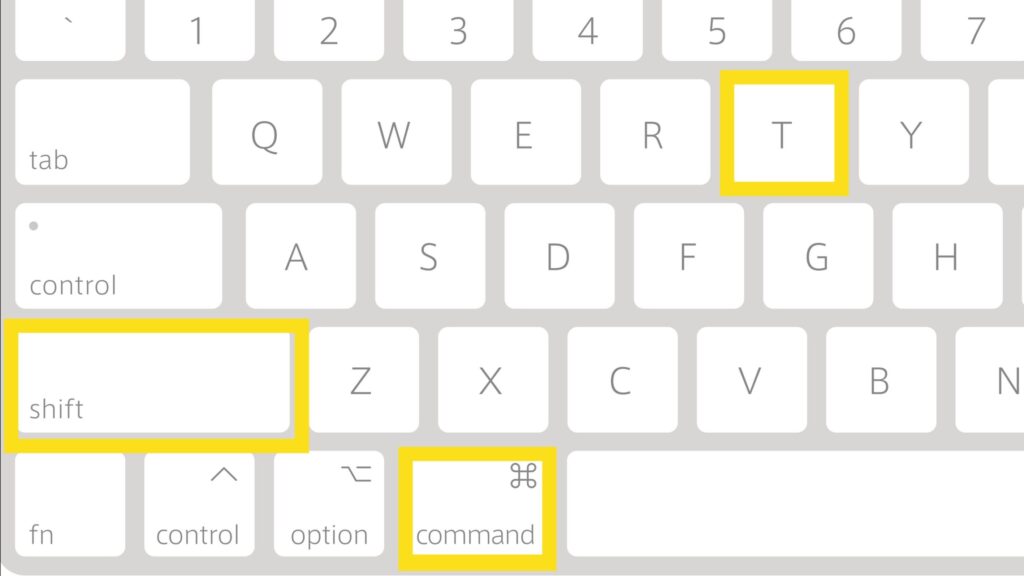
Apple Tip of the Month
Cmd+Shift+T opens recently closed tabs in most browsers. This is really helpful if you have a pending browser update, but don’t want to lose your current tabs. Close your browser to update. After opening your updated browser, press Cmd+Shift+T to bring your tabs back, just like you left them.

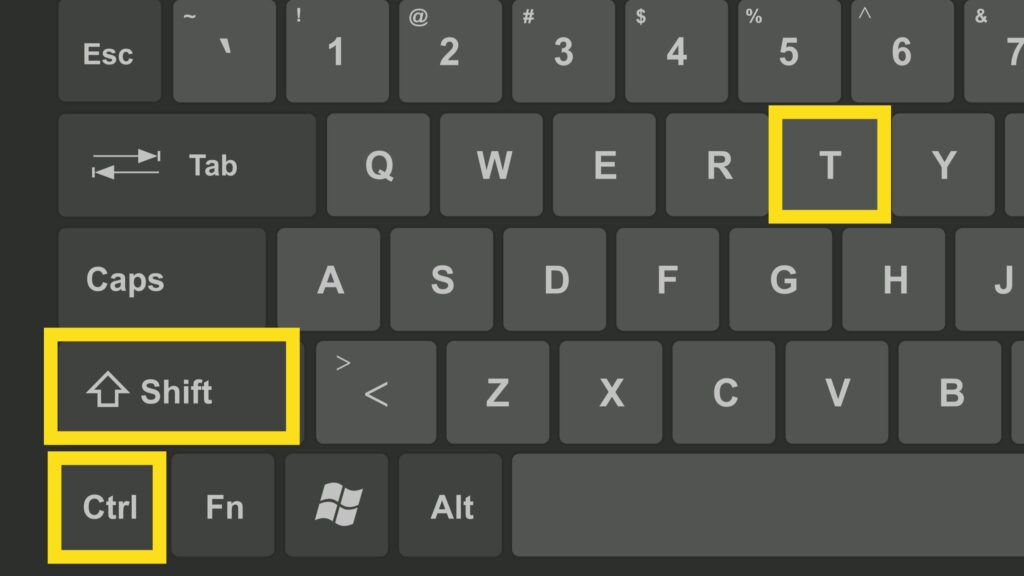
PC Tip of the Month
Ctrl+Shift+T opens recently closed tabs in most browsers. This is really helpful if you have a pending browser update, but don’t want to lose your current tabs. Close your browser to update. After opening your updated browser, press Ctrl+Shift+T to bring your tabs back, just like you left them.

ITS Newsletter Summer Break
The ITS Newsletter will take a break for the months of June and July. We will be back in August!